Pour la version en anglais, cliquez sur le lien suivant:
WoodVibe Tools is a Fusion 360 plugin designed to simplify your workflow and save time when designing furniture projects. Its main features include:
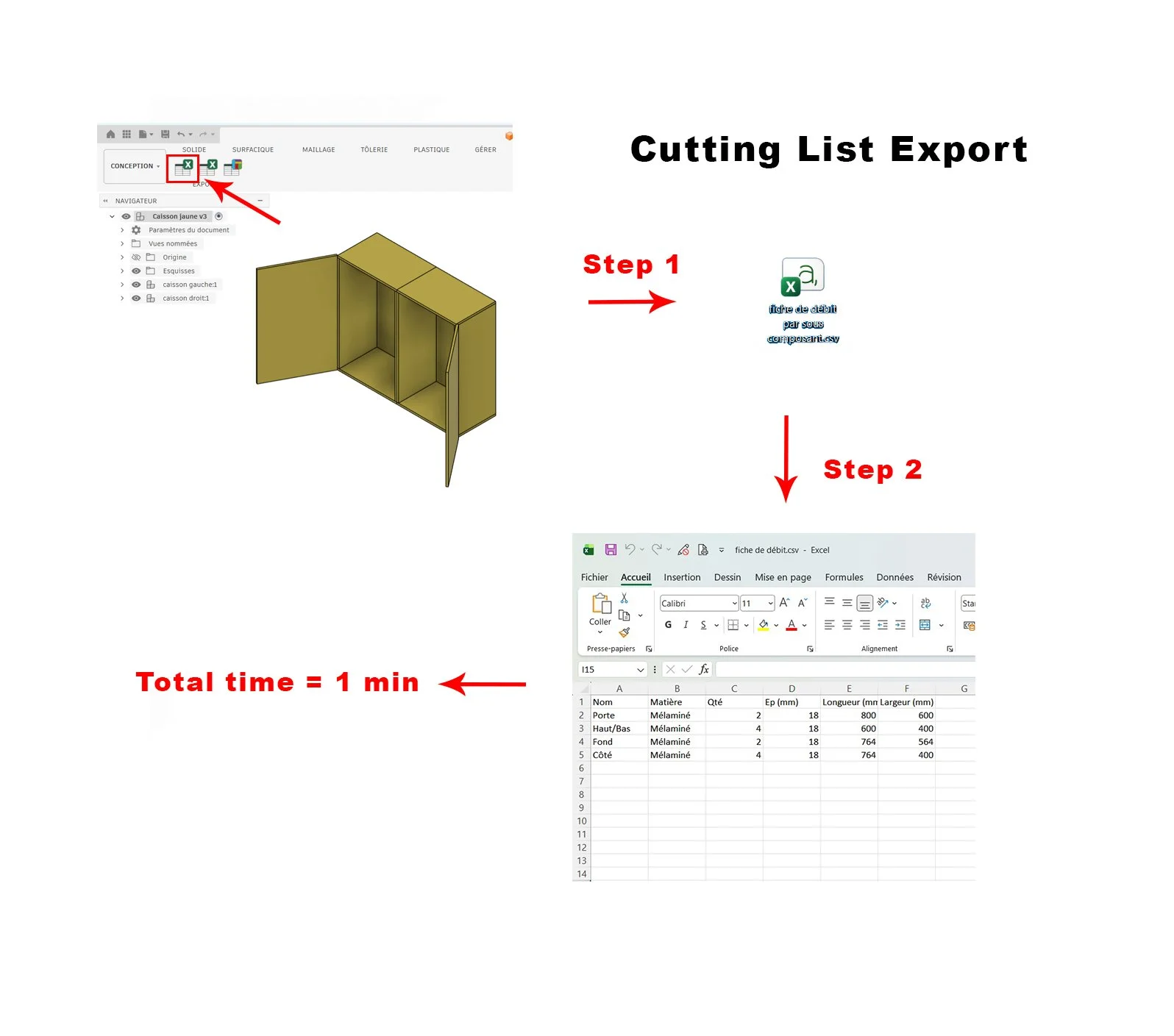
Quick export of a project-wide cut list.
Each line groups together all components within the project that share the same name, material, and dimensions.
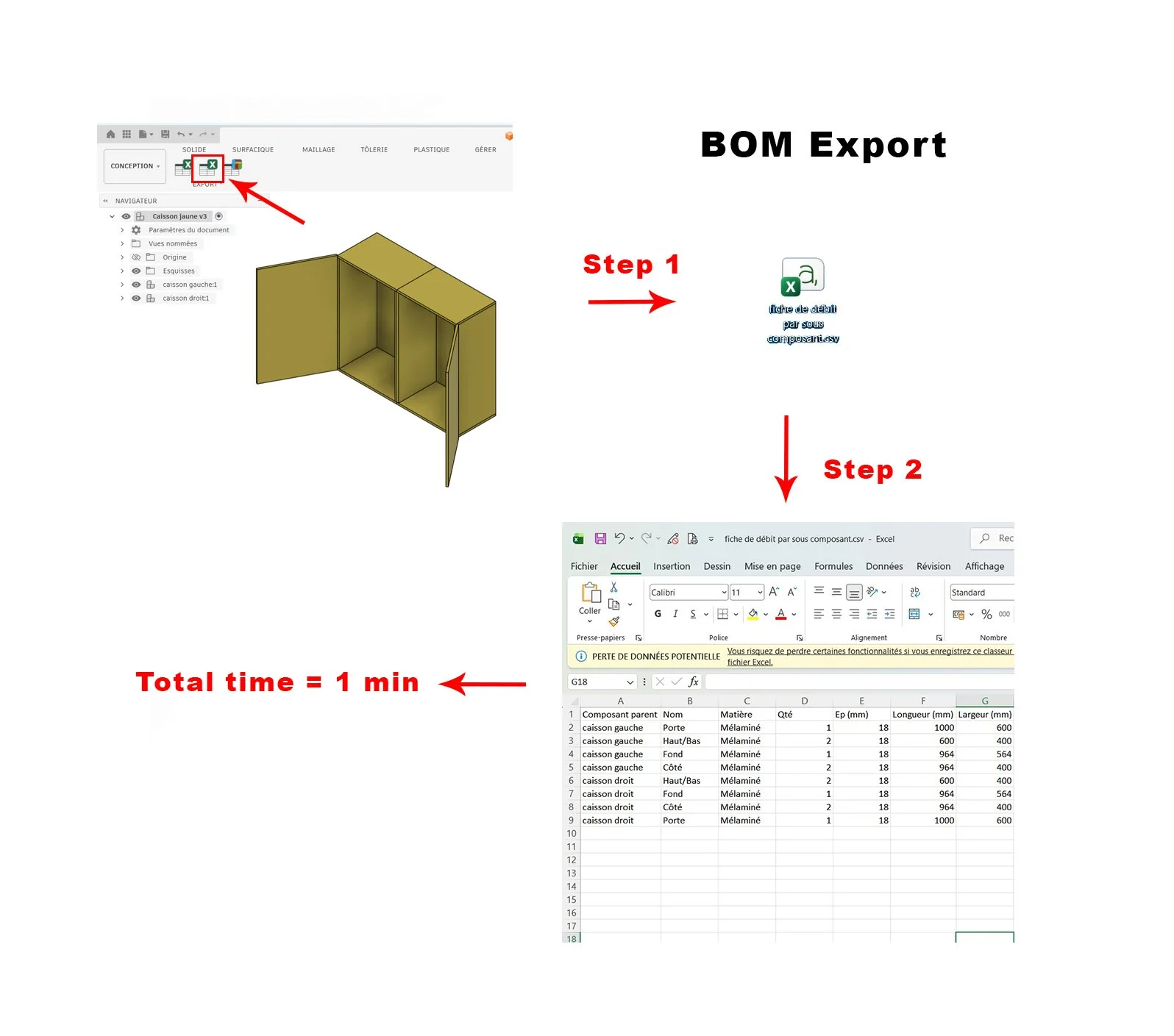
Quick export of a bill of materials by subassembly.
Each line groups together all components belonging to a specific subassembly that share the same name, material, and dimensions. This export is primarily intended to provide a quick overview of the components contained within a particular section of the project.
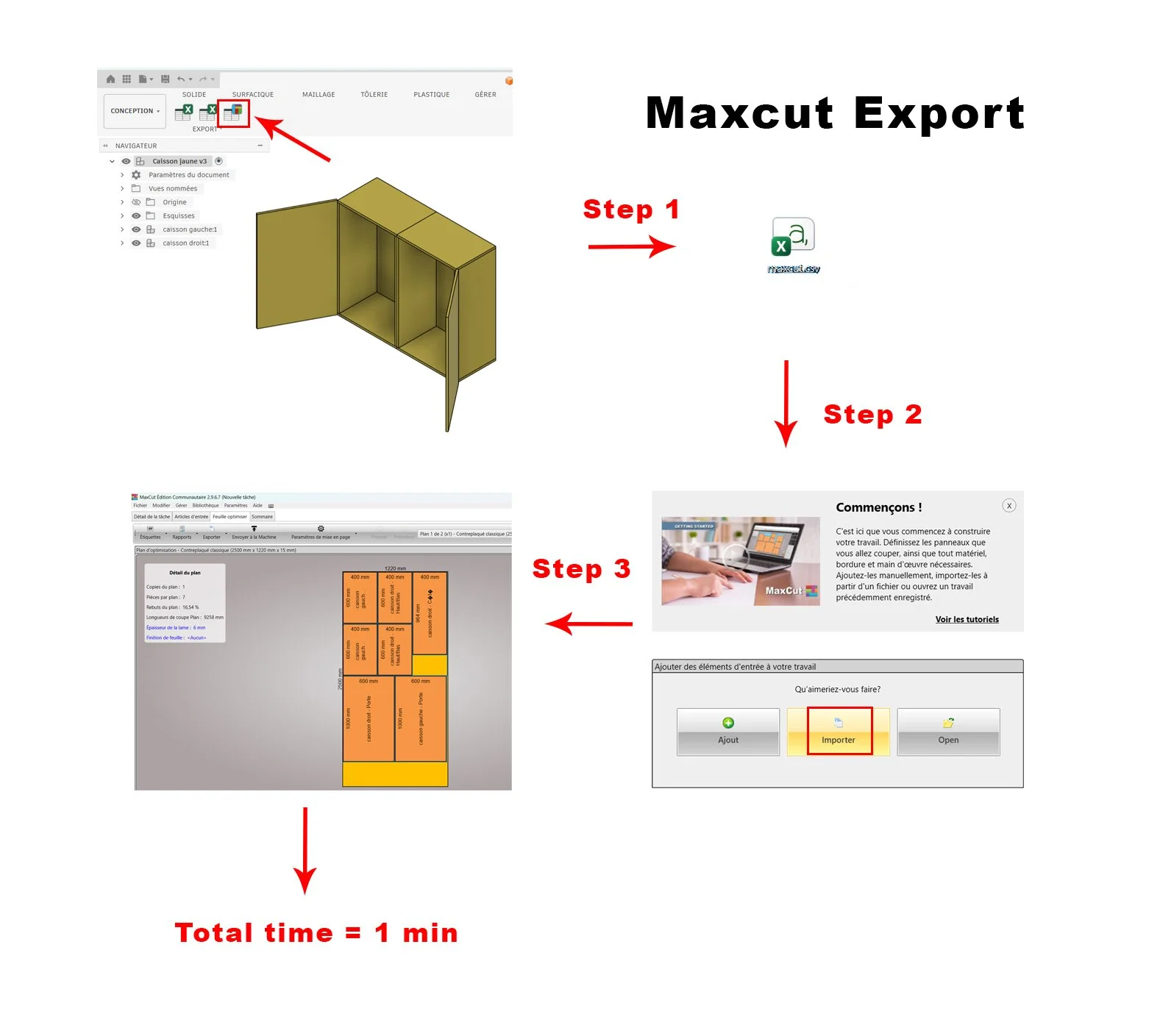
MaxCut export.
This export allows you to generate, in just a few seconds, a file ready to be imported into the free MaxCut software. MaxCut can then automatically calculate the optimal cutting layout for your wood panels in a matter of seconds.
Package Contents
The WoodVibe Tools plugin
A Read Me file containing a link to a tutorial video. The video covers:
Installation instructions
Creation of a complete parametric sample project from start to finish
Presentation of the three export functions
Demonstration of parameter modifications and automatic export updates
Note 1: the tutorial video has been shot in French. Youtube translate automatically the video audio in english, however the Fusion 360 menu displayed in the video is in french. Normally It shouldn’t be difficult to reproduce the process with an english menu.)
Note 2: If you’re Fusion 360 is set up in any other language than French, then Woodvibe Tools will automatically be displayed in English
WoodVibe Tools is a Fusion 360 plugin designed to simplify your workflow and save time when designing furniture projects. Its main features include:
Quick export of a project-wide cut list.
Each line groups together all components within the project that share the same name, material, and dimensions.
Quick export of a bill of materials by subassembly.
Each line groups together all components belonging to a specific subassembly that share the same name, material, and dimensions. This export is primarily intended to provide a quick overview of the components contained within a particular section of the project.
MaxCut export.
This export allows you to generate, in just a few seconds, a file ready to be imported into the free MaxCut software. MaxCut can then automatically calculate the optimal cutting layout for your wood panels in a matter of seconds.
Package Contents
The WoodVibe Tools plugin
A Read Me file containing a link to a tutorial video. The video covers:
Installation instructions
Creation of a complete parametric sample project from start to finish
Presentation of the three export functions
Demonstration of parameter modifications and automatic export updates
Note 1: the tutorial video has been shot in French. Youtube translate automatically the video audio in english, however the Fusion 360 menu displayed in the video is in french. Normally It shouldn’t be difficult to reproduce the process with an english menu.)
Note 2: If you’re Fusion 360 is set up in any other language than French, then Woodvibe Tools will automatically be displayed in English
Pour la version en anglais, cliquez sur le lien suivant: